Features Files
Every file in one place, shared safely.
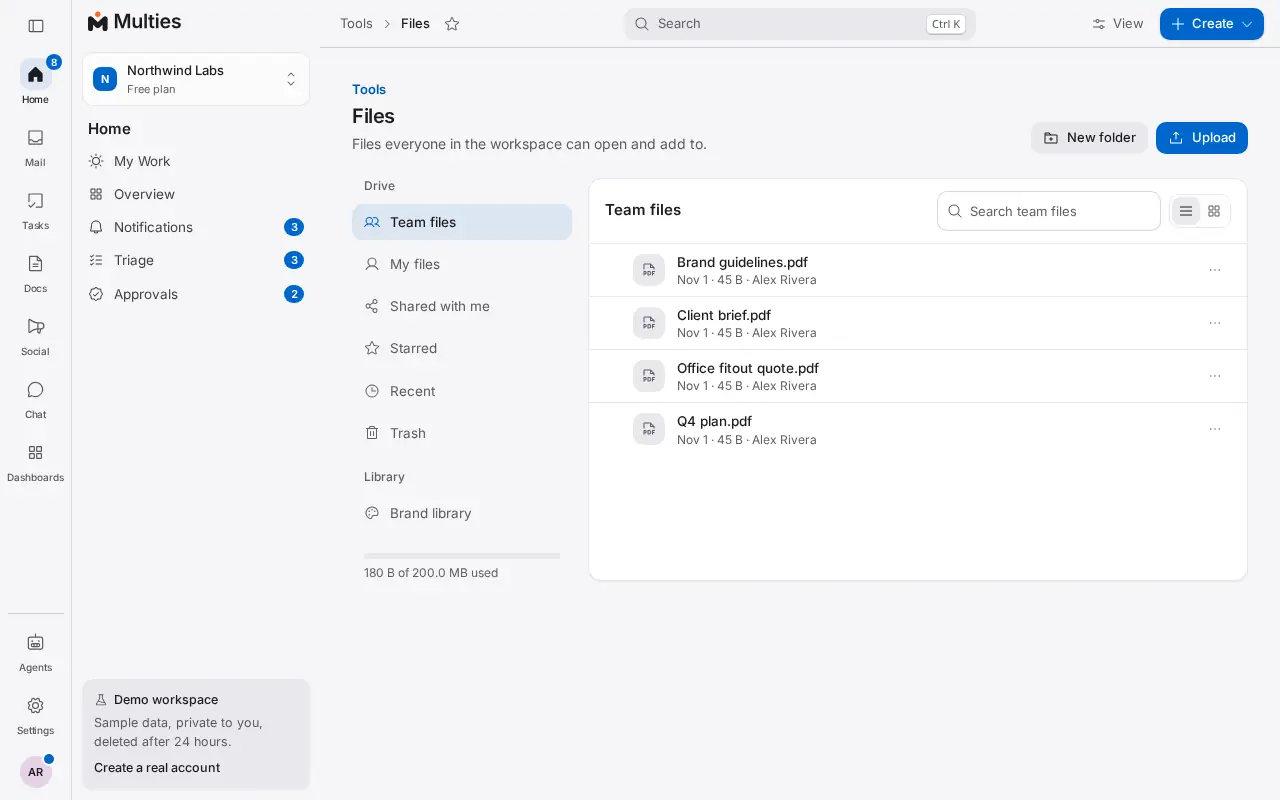
Keep the team's files in folders with previews and versions, and share them with people outside without losing track of who opened what.
What you can do
Folders, versions and previews
A shared drive for the team, with previews of documents, images and PDFs, and earlier versions kept.
A brand library
Logos and brand files in one place, so everyone uses the right ones.
Secure sharing
Ask clients for files with a request link, share with links that expire and a view log, or send a secret that opens once.
Office files in the browser
Edit Word files and Excel sheets with working formulas right in Files, save each change as a version, and view slides without leaving the browser.
PDF tools
Convert office files, compress and edit PDFs, read text from scans, and add QR codes.
Where to find it: Files in the left menu. Included in every workspace, the free plan too.
More in Multies
Mail
Mailboxes and aliases on your own domain, a shared team inbox and live DNS checks.
Tasks and projects
Boards, lists, calendar and timeline, with My Day, time tracking and automations.
Chat
Channels, direct messages and threads beside your mail and tasks.
Docs
Docs, diagrams, whiteboards, a help center and answers from your workspace.
Meetings
Video meetings from any thread, task or contact, with recordings.
Booking
Booking pages, rooms and desks, time polls and events with tickets.
Contacts and CRM
Contacts that build themselves, a deal pipeline, timelines and client portals.
Invoices and quotes
Quotes and Australian tax invoices with GST, links to pay and reports.
Sign and forms
Send documents to sign and collect answers with forms.
Social
Plan, approve and post to your social accounts, and answer comments in one place.
AI agents
Inboxes for AI agents, with a person approving what they send.